Airbnb Apartment Control System

Creating a modern and secure smart home environment

Basics

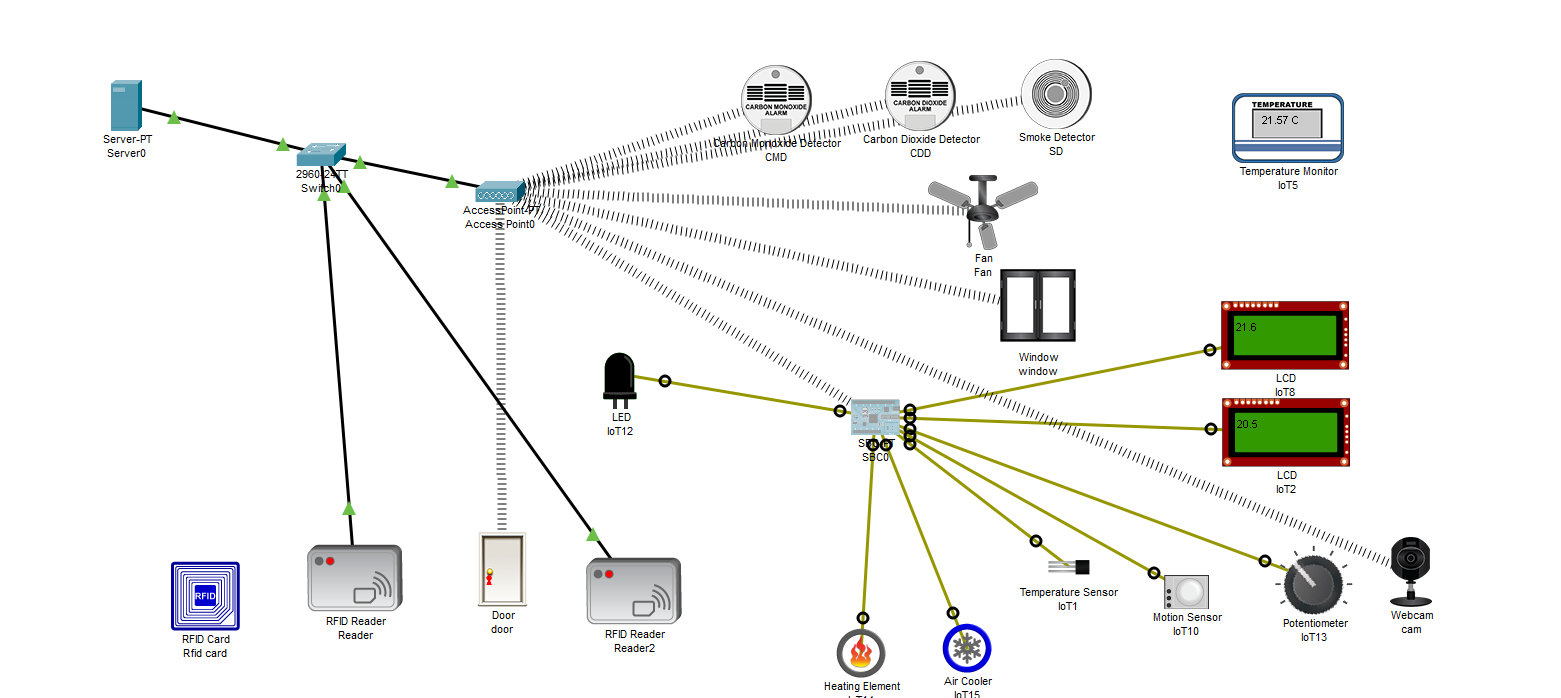
This project is an automated Airbnb apartment control system that manages RFID access, door control, temperature regulation, and security alarms. The system reacts to sensors in real-time, allowing the apartment to operate comfortably and autonomously.

Step 1

Operation of Wireless Devices

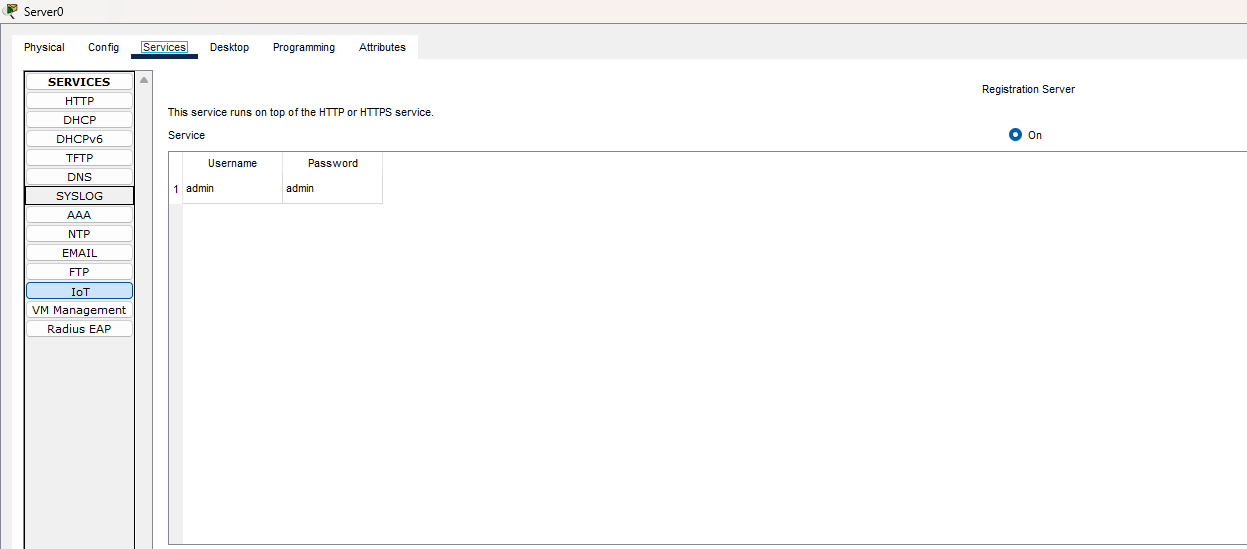
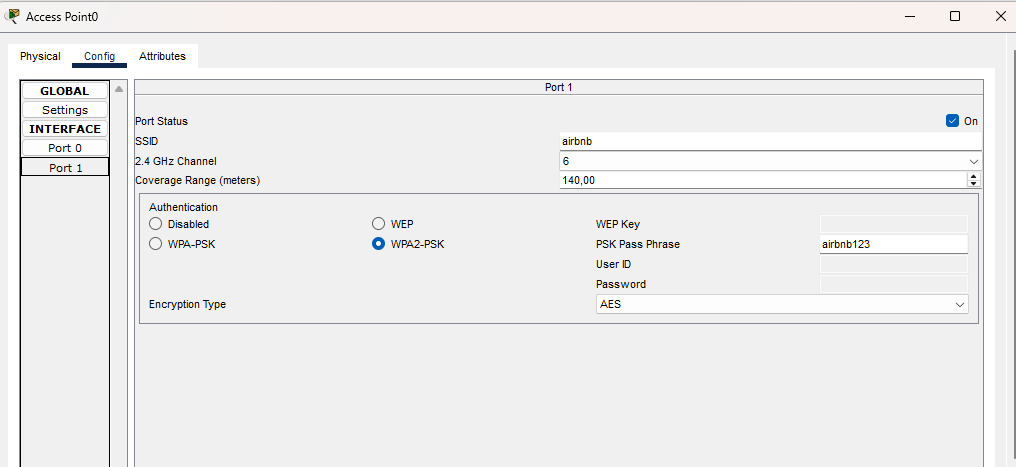
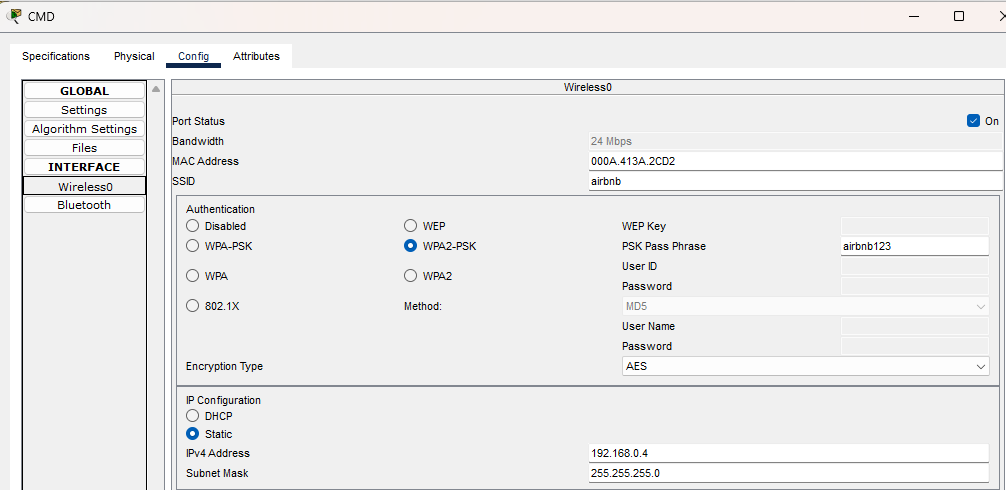
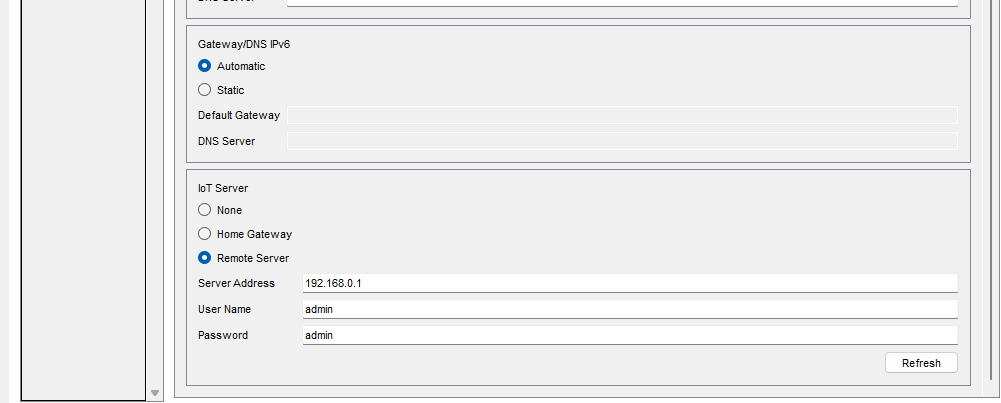
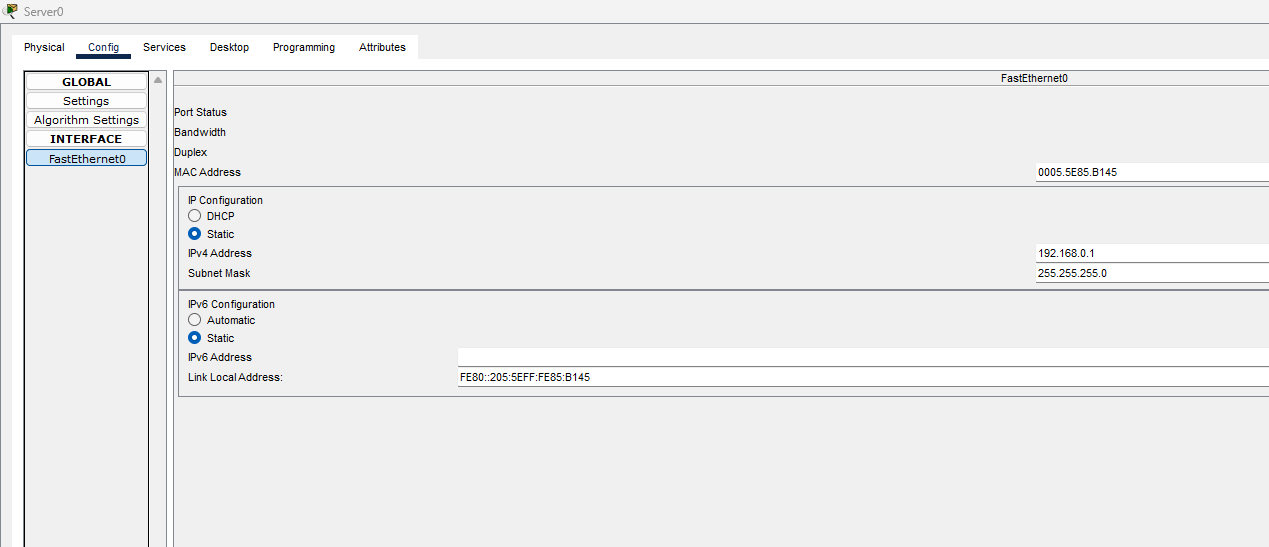
Since several IoT devices communicate exclusively via WiFi, they connect to a central IoT server. The server is assigned a fixed IP address (192.168.0.1), the IoT services are enabled on it, a username and password are set, and then a dedicated WiFi access point (SSID + password) is created. All wireless IoT devices connect to this AP, and in the "remote IoT server" function, they are given the server's IP address and authentication credentials, so each device registers with the IoT server.

slide-1 slide-2 slide-3 slide-4 slide-5
Server IP
IoT Service
AP Config
Device IP
Remote IoT service

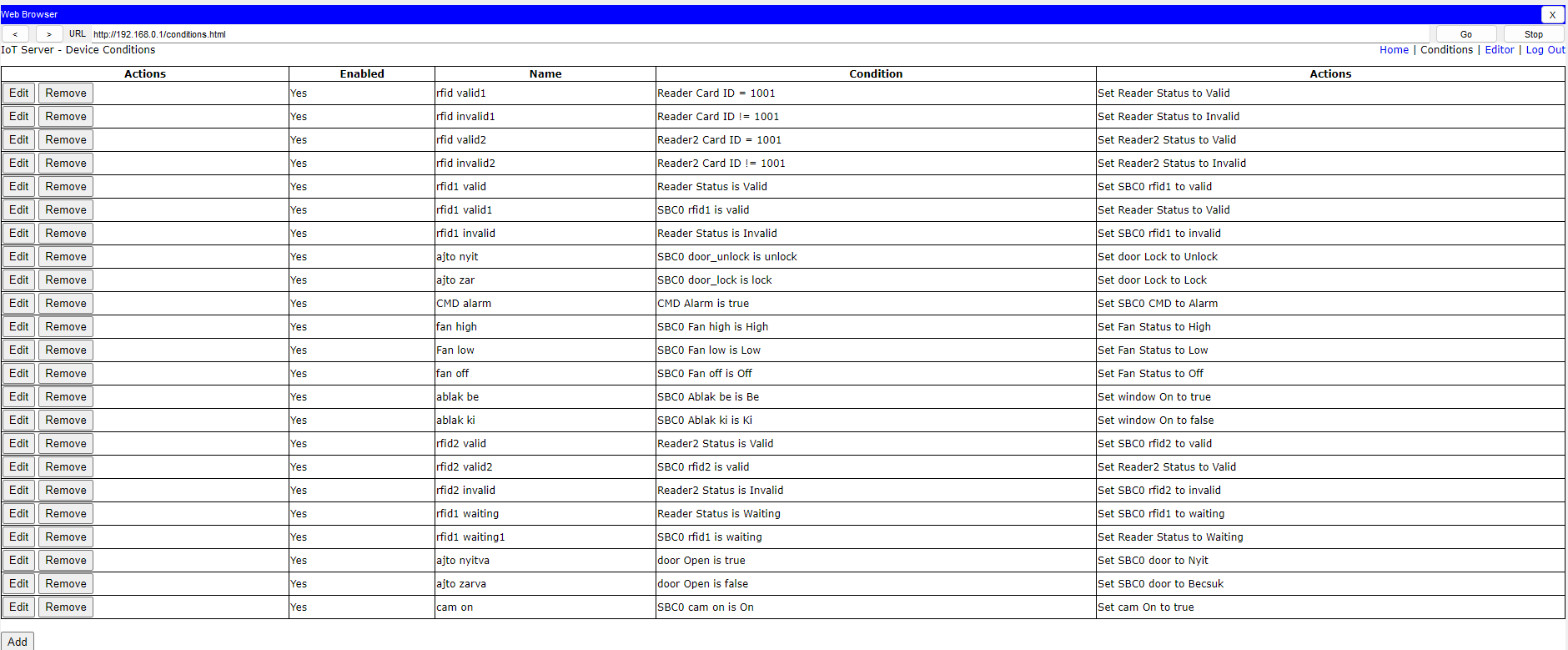
IoT Server – Conditions

In this section, we specify which card IDs the RFID readers should accept. The IDs can be changed in the card's Attributes menu or on the Advanced → Programming tab. Here, we can also control devices that are not physically connected to the SBC. Their states are sent to the server using the IoEClient.reportStates() function, for example:IoEClient.reportStates([0, device_states["rfid1"], device_states["rfid2"], 0, 0, 1, 0, 0, temperature, 0, 0, 0, 0, 0, 0, 0, 0]). Since every state of every device must be handled separately, a separate action must be created for each state.
Step 3

Door Operation

The door's operation is controlled by the RFID card and timers. With a valid card, the system opens the door (door = 1), turns on the light, and starts a 10-second timer. If this time expires, or if the system detects that the door is already closed (door = 2), it automatically relocks the door (door_lock). The program continuously monitors the door's status and re-issues the open or close command if necessary. The door thus operates completely automatically: a valid RFID opens it, and the timer or closing relocks it.

Rfid tracking

RFID tracking manages the process when a guest enters with a valid card, the door opens, and later closes. With a valid card, the system opens the door and starts the timer:
if device_states["rfid1"] == "0":
    door_active = True
When the door actually opens, opened_tracking is activated, and after it closes, the system switches to rfid1_tracking mode:
if device_states.get("door") == "2":
    rfid1_tracking = True
In this state, the program monitors for another valid RFID signal, for example, upon departure. If this occurs, it locks the door and resets the system to its default state:
if rfid1_tracking and device_states.get("rfid1") == "0":
    IoEClient.reportStates([...])
    rfid1_tracking = False
Tracking thus ensures that the system handles entry and exit processes separately and always knows the state of the door and the guest.

Step 5

Personal and Property Protection Alarms

If any security sensor signals an alarm (CMD == 1, CDD == 1, or SD == 1), the system immediately switches to emergency mode. In this case, the code sends a special state list to the server:
if device_states["CMD"] == "1" or device_states["CDD"] == "1" or device_states["SD"] == "1":
    IoEClient.reportStates([..., 1, 1, 1, ..., 1])
This means the following:
- Fan switches to HIGH speed (Fan high = 1)
- Window opens automatically (Window out = 1)
- Door opens / unlocks for a safe escape (door_unlock = 1)
- The system signals the alarm to the server (CMD, CDD, SD = Alarm)
- Normal operation is halted as long as the alarm is active
As soon as all alarms are reset to "0", the system automatically returns to normal mode:
elif device_states["CMD"] == "0" and device_states["CDD"] == "0" and device_states["SD"] == "0":
    IoEClient.reportStates([...])

Heat Control

The system continuously monitors the room's current temperature as well as the desired value set by the guest. The desired temperature can be set with a potentiometer, which the controller converts to a range between 16–30 °C. Based on the comparison of the two values, the system automatically decides whether to heat or cool. The system also uses a tolerance margin to avoid switching on and off too frequently. For the guest, the desired and current temperatures are displayed on separate screens, so it is always clear what state the system is in.

Step 9